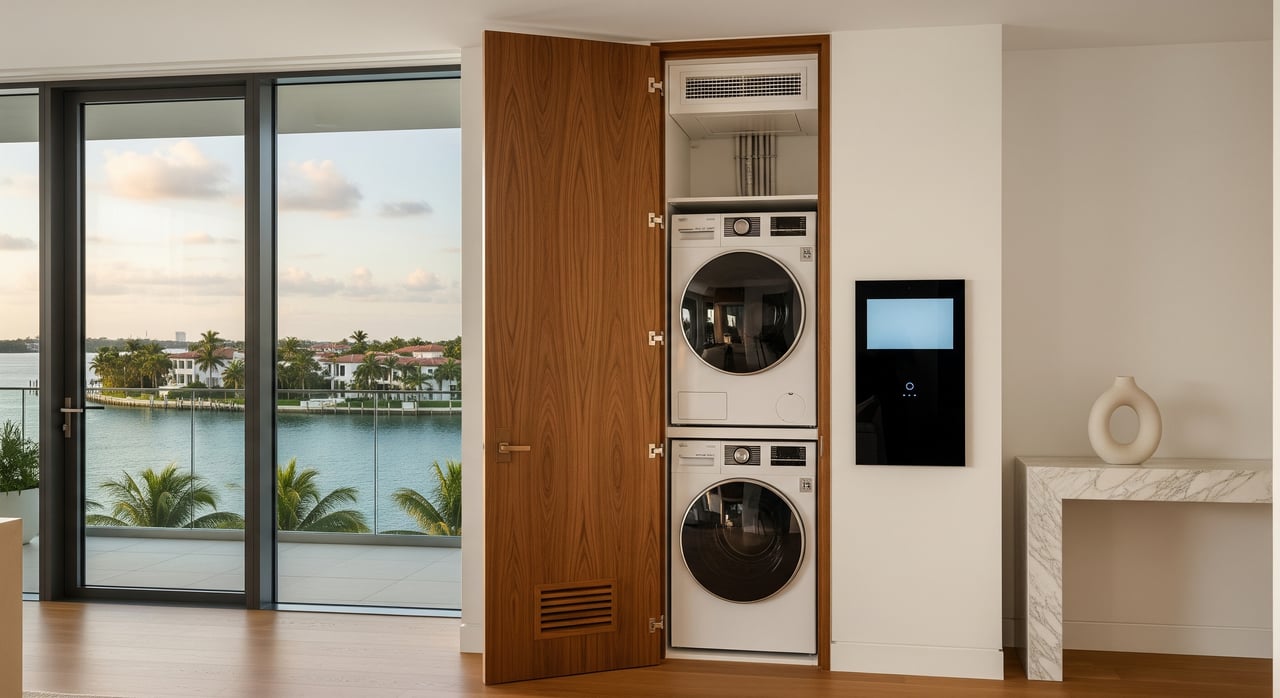
Moving into Bay Harbor Islands should feel exciting, not overwhelming. One of the quickest ways to make your first week smooth is to set up utilities with a clear plan. Whether you’re closing on a condo, relocating from abroad, or preparing an investment unit for a tenant, a few smart steps will save you time and avoid service gaps. In this guide, you’ll learn who provides each service locally, how to open or transfer accounts, what documents to prepare, and how to handle special cases like master‑metered buildings and remote move‑ins. Let’s dive in.
Utilities in Bay Harbor Islands
Bay Harbor Islands sits within Miami‑Dade County, so most services follow countywide providers with Village‑managed sanitation.
- Electricity: Florida Power & Light (FPL) serves the area. You can open or transfer service online or by phone, choose a start date, and set up billing. A credit check and deposit may apply, especially if you’re new to the market.
- Water and sewer: The Miami‑Dade County Department of Water and Sewer (often listed as WASD or DWS) supplies most single‑family homes and many multifamily properties. Many condos and apartments here are master‑metered, which means the association, not you, handles the water bill.
- Trash, recycling, bulk items: The Village of Bay Harbor Islands manages residential trash and recycling through Public Works or a contracted hauler. Bulk pickup may require a request or compliance with set collection days. Rules can differ for single‑family versus multifamily buildings.
- Natural gas/propane: Natural gas lines are limited in parts of Miami‑Dade. Many homes use electric appliances or propane for grills and some equipment. If a home has gas service, you’ll need to coordinate a provider and any activation safety checks. For propane, verify local fire and permit rules.
- Internet/cable/phone: Major wired providers commonly include Comcast/Xfinity and AT&T, though availability depends on your address and building. Satellite and fixed wireless may be alternatives. Installation slots can book out days to weeks.
Confirm who pays: you or the association
Before you spend time setting up accounts, confirm what the building or HOA covers.
- Master‑metered buildings: In many Bay Harbor Islands condos, water is billed to the association, not to individual owners or tenants. Electricity is usually individually metered, but always verify. Your condo documents or building management can confirm the meter setup.
- Lease or closing documents: Your lease or closing statement should list which utilities you pay directly. Clarify this early to avoid duplicate accounts or missed bills.
- Owner versus tenant: Owners typically hold accounts for vacant units or during renovations. Tenants may open their own accounts if the lease requires it. Written authorization is sometimes needed when a landlord retains account control.
Step-by-step: start or transfer service
Electricity with FPL
- Open or transfer your account. FPL allows online or phone setup and lets you choose a future start date.
- Prepare identification. Have a government ID, Social Security Number or Tax ID for credit verification, and proof of occupancy like a deed or lease.
- Expect a possible deposit. Deposits depend on credit history and provider policy. You may be able to reduce or avoid a deposit with a letter of credit or by enrolling in auto‑pay.
- Activate alerts and online billing. Set outage alerts and auto‑pay to simplify management and stay informed during storms.
Water and sewer (Miami‑Dade WASD)
- Confirm meter type. If your building is master‑metered, you do not open an individual county account. If individually metered, contact the county to open or transfer service.
- Provide documents. Prepare a government ID, SSN or Tax ID, and your lease or proof of ownership. A deposit may apply depending on your history and the account type.
- Schedule service. Same‑day to several business days is common. If meter installation or a visit is needed, timing may extend.
Trash, recycling, and bulk items
- Check the Village schedule. Confirm the collection days for your address and whether multifamily buildings follow a different system.
- Bulk pickup rules. Some items require a scheduled pickup or compliance with limits on size and quantity. Follow placement and timing guidance to avoid fines or missed collections.
- Special items. Electronics, paint, and hazardous materials must go through county programs or special events. Regular trash and recycling rules do not apply to these items.
Internet and TV
- Check availability early. Address‑level availability varies by building. In some condos, the association may have a bulk agreement that includes internet or TV.
- Schedule installation. If a technician visit is needed, appointments can run 2 to 14 days out. Self‑install kits may be faster if your building allows them.
- Plan for remote access. If you will not be present, arrange building access for the technician through management or your property manager.
Natural gas or propane
- Confirm service. Many properties do not have natural gas. If yours does, coordinate activation and any required safety checks.
- Propane considerations. For properties using propane, verify storage, refills, and any permit or safety rules. Use licensed professionals for appliance conversions.
Documents and deposits
Most providers request similar information. Preparing it in advance makes activation easier.
- Have ready: government ID, Social Security Number or Tax ID, and your lease, deed, or closing statement.
- For businesses or investors: EIN and corporate documentation may be required.
- Remote authorization: If a property manager or agent will handle setup, provide written authorization and copies of IDs and the signed lease or deed.
- Deposits and credit checks: Expect credit checks and possible deposits. Options to reduce deposits may include letters of credit from prior utilities or enrolling in auto‑pay. Reconnection after disconnection usually carries a fee.
Timeline: two weeks to move‑in day
Use this simple plan to stay on track and avoid service gaps.
2–3 weeks before move
- Confirm if water is master‑metered or individually metered.
- Open or transfer FPL service and choose your start date. Ask about deposit policies and outage alerts.
- If individually metered, initiate your county water/sewer account.
- Check the Village trash and recycling schedule. Ask about bulk pickup rules for move‑in boxes or furniture.
- Verify internet availability and book the earliest installation.
7–14 days before move
- Submit IDs, lease or deed, and payment preferences for electric and water, if applicable.
- If you are remote, send written authorization to your property manager or trusted agent.
- For vacant properties, schedule any required meter inspections or reconnection visits.
1–2 days before move
- Confirm technician appointments and building access instructions.
- Reconfirm start dates with each provider and request activation confirmations.
Move‑in day (Day 0)
- Take timestamped photos of your electric and water meters where accessible.
- Confirm your trash and recycling day and container placement rules.
- Create or log in to your online utility accounts and set up auto‑pay.
After move
- Save activation confirmations and meter photos.
- Review your first bill for accurate start/stop dates and correct party billing.
Special situations to know
Condos and master meters
Master‑metered water is common in Bay Harbor Islands condos. If your building is master‑metered, you will not open a county water account. Associations may include water in monthly dues or use separate allocation systems. Some buildings may also manage certain services like trash or internet through building contracts. Confirm details with building management before you set up anything individually.
Rentals and investment properties
If you are placing a tenant or managing a vacant unit, outline responsibilities in the lease, including start and end dates for utility billing. For remote investors, authorize a local agent or property manager to set up or transfer accounts and coordinate access for technicians. This helps prevent lapses between tenants and avoids reconnection fees.
Vacant or seasonal properties
Some providers require an active account or a specific vacant‑property plan. If service has been disconnected, expect reconnection fees and potential inspections. Plan extra time in your move‑in schedule if the property has been vacant for a while.
Short‑term rentals
Short‑term rental properties may have additional sanitation rules. Bulk pickup limits or scheduling requirements can differ. If you are converting a unit to short‑term use, verify trash and recycling rules to avoid service issues.
Hurricane season readiness
Severe weather can interrupt power and municipal services. Enroll in FPL outage alerts, secure surge protection for sensitive electronics, and discuss generator options with licensed professionals. After storms, expect temporary service changes or delays in pickup. Follow Village updates for collection adjustments.
Day‑one readiness checklist
Use this quick list to confirm you are set for move‑in.
- Verify whether water and trash are billed to your building or to you.
- Open or transfer FPL and confirm your start date; set outage alerts.
- If needed, open or transfer your Miami‑Dade water/sewer account.
- Confirm Village trash and recycling days and bulk pickup rules.
- Book internet/cable installation early.
- Provide written authorization if a property manager is handling setup.
- Take timestamped photos of electric and water meters on move‑in day.
- Set up online accounts and auto‑pay and save activation confirmations.
Who to contact
- FPL: Start or transfer service, set outage alerts, and manage billing through their customer support options.
- Miami‑Dade Water and Sewer (WASD): Open or transfer accounts for individually metered properties and request turn‑on service.
- Village of Bay Harbor Islands Public Works: Confirm trash and recycling days, bulk pickup procedures, and any special collection guidance.
- Major ISPs: Check address availability and schedule installation with your chosen provider.
Final thoughts
A smooth utility setup in Bay Harbor Islands starts with one decision: confirm what your building covers and what you must handle directly. From there, schedule FPL and internet early, confirm your Village trash rules, and use meter photos to protect yourself from billing disputes. If you are managing a remote or investment move‑in, written authorizations and a trusted local point of contact keep everything on schedule.
If you’d like a streamlined, concierge approach to move‑in logistics alongside your purchase or rental, we’re here to help. Schedule a private consultation with Unknown Company to get a tailored plan for your property and timeline.
FAQs
Who pays utilities in Bay Harbor Islands condo sales or rentals?
- It depends on your condo documents, closing statement, and lease terms. Associations often cover master‑metered water, while electric and internet are commonly paid by the unit owner or tenant as specified in the agreement.
How do I know if my building’s water is master‑metered?
- Ask building management or review your condominium documents. If water is master‑metered, the association pays the bill and you do not open a county water account for your unit.
What documents do I need to open utility accounts in Bay Harbor Islands?
- Expect to provide a government ID, Social Security Number or Tax ID, and proof of occupancy or ownership such as a signed lease, deed, or closing statement. Businesses may need EIN and corporate paperwork.
How far in advance should I schedule utilities before moving in?
- Start 2 to 3 weeks ahead. This allows time to confirm meter types, schedule FPL and water service, check Village trash rules, and book internet installation, which can take 2 to 14 days if a technician visit is required.
Can I set up utilities remotely if I’m international or out of state?
- Yes. Most providers allow online or phone setup. Provide written authorization for a property manager or trusted agent to handle access and meter photos and submit copies of IDs and your lease or deed.
What if service doesn’t turn on by my chosen date?
- Contact the provider, request written confirmation, and document the condition with timestamped meter photos. Escalate through customer service if needed and confirm whether an on‑site visit is required.
Are deposits and credit checks required in Bay Harbor Islands?
- Deposits and credit checks are common for electric and water. Some providers may reduce or waive deposits with a letter of credit or auto‑pay enrollment. Policies vary by provider and applicant history.
How do I dispose of bulk items during move‑in?
- Follow the Village’s bulk pickup procedures. Some items require scheduled pickup or adherence to size and quantity limits. Place items only when allowed to avoid missed service or violations.